Bootstrap is complex web design tool?
23 Feb 2023
What is Bootstrap?
First of all, what is Bootstrap? Since it is a kind of UI Framework and has a framework that allows you to create a website, you can use these to create various web pages such as buttons and links. However, this requires a huge amount of knowledge, because instead of being able to add various functions, you have to set a large number of classes and functions. For example, you have to use this many classes just to create one navigation header like the code below.
<nav class="navbar navbar-expand-lg navbar-light" style="background-color: #4682b4;">
  <div class="container">
    <ul class="nav">
      <li class="nav-logo"><img src="dominos%20logo.png" width="50px pt-1"></img></li>
      <li class="btn-group" role="group" aria-label="Basic example">
        <button type="button" class="btn btn-secondary btn-sm" style="background-color: #4682b4;">ORDER ONLINE</button>
        <button type="button" class="btn btn-secondary btn-sm" style="background-color: #4682b4;">LOCATIONS</button>
        <button type="button" class="btn btn-secondary btn-sm" style="background-color: #4682b4;">MENU</button>
        <button type="button" class="btn btn-secondary btn-sm" style="background-color: #4682b4;">COUPONS</button>
        <button type="button" class="btn btn-secondary btn-sm" style="background-color: #4682b4;">TRACKER</button>
        <button type="button" class="btn btn-secondary btn-sm" style="background-color: #4682b4;">REWARDS</button>
      </li>
    </ul>
    <ul class="nav justify-content-end">
      <li class="nav-logo"><img src="Free%20pizza.png" width="150px"></li>
      <button type="button" class="btn-sm" style="background-color: #00008b; color: #ffffff;">SIGN IN & EARN
      REWARDS</button>
      <div class="nav-item dropdown">
        <div class="dropdown-toggle" href="#" id="navbarDarkDropdownMenuLink" role="button" data-bs-toggle="dropdown" aria-expanded="false">
          <i class="bi bi-cart3" style="color: white;"> <span class="position-absolute top-0 start-100 translate-middle badge rounded-pill bg-danger">0 <span class="visually-hidden">unread messages</span></span></i>
        </div>

        <ul class="dropdown-menu dropdown-menu-dark" aria-labelledby="navbarDarkDropdownMenuLink">
          <li><a class="dropdown-item" href="#">Cart is empty</a></li>
        </ul>

      </div>
    </ul>
  </div>

</nav>
Good things about using Bootstrap
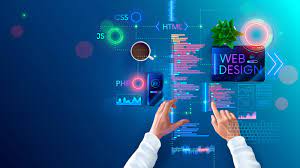
However, unlike CSS and HTML, this Bootstrap has much more settings and customization possibilities. With CSS, you can do simple things such as projecting simple sentences and images on a website, arranging them, creating spaces, and connecting to other links, but you can’t create other frames that you can do with UIFramework like Bootstrap. Bootstrap is a very useful tool in this regard, and with this Bootstrap you can create icons, buttons, checkboxes and text areas, so you can add various features that are more complex and functional like other websites. I can.
Overall about Bootstrap
In conclusion, CSS and HTML are suitable for creating simple websites, and UI Frameworks like Bootstrap are complex and suitable for adding functions, so they are suitable tools for creating corporate websites. I think so, for those who want to be a web developer, this UI Framework is a tool that allows them to understand how a website is made. However, with this UI framework, you don’t have to learn all the knowledge, but if you don’t have a certain amount of knowledge, it will be difficult. However, I think this UI Framework is very useful, but I personally don’t want to use it because it may not work well with various settings. An honest and holistic assessment of UI Frameworks would make Bootstrap a fundamental tool for web designers and web developers.